


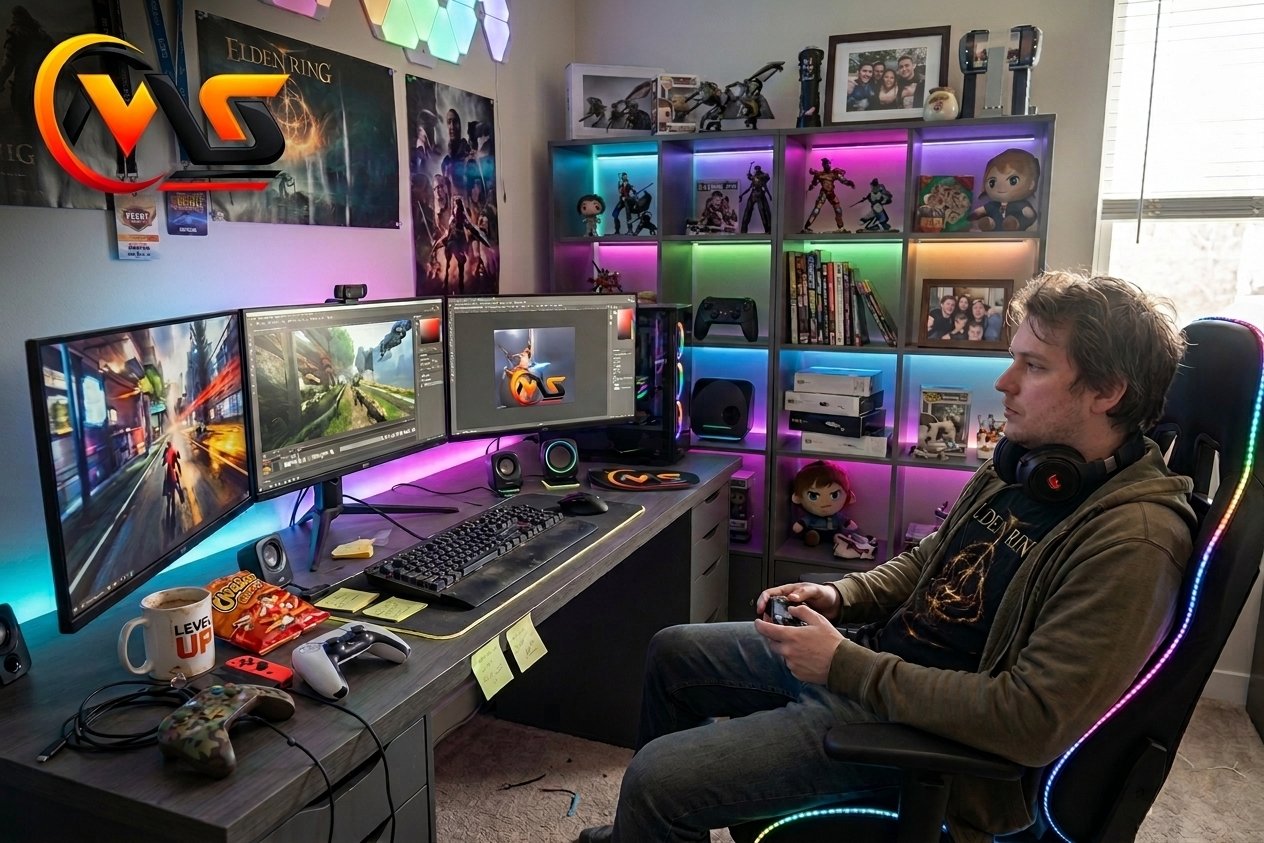
A gamer room is more than a desk, monitor, and gaming chair placed in one corner. It is a personal space designed around comfort, performance, entertainment, and style. Whether you play on a gaming PC, PlayStation, Xbox, or laptop, the right room setup can make every session feel better. You do not need an expensive room filled with premium equipment, either. A smart layout, comfortable furniture, good lighting, organized cables, and a few personal touches can transform even a small space into an impressive gaming zone.
- Start with the space you already have instead of buying everything at once.
- Choose your desk and chair around comfort and available room.
- Use lighting to create atmosphere without making the screen difficult to see.
- Keep cables organized from the beginning.
- Add decorations that reflect your favorite games and personal style.
What Makes a Good Gamer Room?
The best gaming room balances function and personality. A room can look impressive in photos, but if the chair is uncomfortable, the monitor sits at the wrong height, or cables cover the floor, the setup quickly becomes frustrating.
Start by deciding how you actually use the room. A competitive PC player may prioritize a high-refresh-rate monitor and a large mouse area. A console gamer may prefer a television, comfortable sofa, and storage for controllers. A streamer may also need space for cameras, microphones, lighting, and additional screens.
Your gaming habits should determine the room rather than the other way around.
Essential Gamer Room Setup
Before buying decorative items, build the foundation of your gaming space. These are the pieces that make the room practical for everyday use.
| Gamer Room Element | What to Look For | Why It Matters |
|---|---|---|
| Gaming Desk | Strong, spacious, organized | Holds your equipment comfortably |
| Gaming Chair | Adjustable and supportive | Improves comfort during long sessions |
| Monitor/TV | Suitable size and refresh rate | Improves gameplay and viewing |
| Lighting | Adjustable ambient lighting | Creates atmosphere and reduces harsh contrast |
| Cable Management | Trays, clips, ties or sleeves | Keeps the setup clean and safer |
| Storage | Shelves, drawers or cabinets | Keeps games and accessories organized |
A sturdy desk gives your equipment a stable home, while a supportive chair can make extended sessions much more comfortable. Current gaming-room guides also recommend built-in cable management and enough desk space for the equipment you actually use.
Choose the Right Gaming Desk
The desk becomes the center of most PC-based gaming rooms. Measure your available wall and floor space before purchasing one.
If you have plenty of room, a wide rectangular desk can accommodate a large monitor, keyboard, mouse, speakers, and other accessories. For smaller rooms, an L-shaped desk can make better use of a corner while leaving more floor space available. Floating shelves and monitor arms can also free up valuable desktop space.
Do not choose a desk only because it looks futuristic. Check its stability, depth, storage, and cable-routing options. A clean desk usually makes the entire room look more professional.
Make Comfort a Priority
A beautiful gaming room loses its appeal if you cannot sit comfortably.
Look for a chair with adjustable height, useful back support, and armrests that allow your shoulders to remain relaxed. If you spend several hours gaming, adjust the monitor and chair so you are not constantly bending your neck or reaching awkwardly for your keyboard.
Monitor positioning also matters. Keeping the screen around eye level can help maintain a more natural neck position. An adjustable monitor arm makes these adjustments easier and can create additional desk space.
Add Bright and Smart Lighting
Lighting is one of the easiest ways to transform a basic room into a gaming environment.
LED strips behind the desk or monitor can create a colorful glow without taking up desk space. Wall lights, RGB accessories, neon-style signs, and adjustable lamps can add personality. Instead of relying on one bright ceiling light, consider combining ambient, task, and accent lighting.
However, avoid placing extremely bright lights directly behind or beside the screen. The goal is to create atmosphere while keeping the display comfortable to view.
For a modern look, you could choose one main color theme such as blue, purple, green, red, or a combination of colors that matches your gaming equipment.
Don’t Ignore Cable Management
Nothing ruins a stylish gaming setup faster than tangled wires.
Start cable management before the room becomes crowded. Run power and data cables along the back of the desk, use reusable cable ties, and consider an under-desk tray for power strips. Adhesive clips can help guide smaller cables along furniture.
A wired Ethernet connection can also be useful for gaming when the router is conveniently located. Wired connections are generally less vulnerable to wireless interference, which can matter during latency-sensitive multiplayer games.
Good cable management is not just about appearance. It makes cleaning, troubleshooting, and replacing equipment much easier.
Gamer Room Ideas for Small Spaces
You do not need an entire bedroom or spare room to create a gaming zone.
A compact corner can work surprisingly well. Place a smaller desk against a wall and use a monitor arm to save surface space. Floating shelves can hold controllers, headphones, games, figures, and other collectibles without taking up floor area.
If you play mainly on a console, a wall-mounted TV combined with a compact media cabinet can create a clean setup. A foldable or multipurpose desk can also work well when the room serves several purposes.
The key is to use vertical space instead of filling every part of the floor.
Personalize Your Gaming Room
Once the functional elements are ready, make the room feel like yours.
Gaming posters, framed artwork, collectibles, shelves, themed desk mats, plants, LED signs, and display cabinets can add character. You can build the room around a favorite game, console, color scheme, or gaming era.
For example, a retro gamer could combine classic artwork with vintage consoles. A PC gamer might focus on RGB lighting and a clean modern desk. Someone who enjoys multiple platforms could create separate areas for PC and console gaming.
There is no single correct gamer room design. Personal taste is what makes the setup interesting.
Build Your Setup According to Your Budget
You do not need to purchase everything in one day.
Start with the equipment that directly affects your gaming experience: the computer or console, display, desk, chair, and internet connection. Once those are sorted, gradually add lighting, shelves, speakers, decorations, and accessories.
This approach also gives you time to discover what your room actually needs. You may find that a simple monitor arm is more useful than another decorative gadget, or that better cable management improves the room more than expensive RGB accessories.
A good gaming setup is built around your habits, not around a shopping list.
Final Thoughts
A well-designed gamer room combines performance, comfort, organization, and personality. You can create an impressive gaming space with a large dedicated room, or build a surprisingly effective setup in a small corner. Focus first on a sturdy desk, comfortable seating, sensible screen placement, useful lighting, and clean cable management. After that, add decorations and accessories that reflect your gaming interests. The best setup is not necessarily the most expensive one. It is the space that makes you comfortable, keeps your equipment organized, and makes you excited to sit down for your next gaming session.
FAQs About Gamer Room
1. What do you need for a gamer room?
The basic requirements include a gaming PC or console, display, desk, chair, controllers or keyboard and mouse, and a reliable internet connection. After these essentials, you can add lighting, speakers, shelves, decorations, and other accessories according to your available space and budget.
2. How can I make a small gamer room?
Use the available space vertically and avoid oversized furniture. A compact or L-shaped desk, monitor arm, floating shelves, and wall-mounted display can save valuable floor space. Keeping cables organized also makes a small room feel much cleaner and less crowded.
3. Are RGB lights necessary for a gaming room?
No. RGB lighting is mainly a design choice rather than a requirement. It can create an immersive atmosphere, but a simple LED strip, desk lamp, or adjustable ambient light can work just as well. Prioritize comfortable screen visibility and useful lighting before adding decorative effects.
4. How do I keep my gaming room organized?
Begin with cable management and dedicated storage. Use an under-desk tray for power cables, clips or ties for smaller wires, and shelves or drawers for controllers and accessories. Keeping unnecessary equipment off the desk creates more usable space and makes cleaning easier.
5. Can I create a gamer room on a low budget?
Yes. Start with your existing desk, chair, monitor, or console and improve the room gradually. Simple LED lighting, affordable cable organizers, wall shelves, posters, and a clean layout can make a noticeable difference without requiring expensive furniture or high-end accessories.
Also Read: Xbox Series X 2TB: Specs, Price, Features & Review
